Purchase order software for hotels and a purchase order system for hospitality groups
Procurer is purchase order software for US hotel owners and management companies that buy for several properties and cannot see what each one orders. Department heads request supplies, repairs and linens, the general manager approves against the property budget, the PO goes to the vendor with the right ship-to address, the receiving dock records what arrived and accounts payable pays only invoices that match. It fits independent hotels, small hotel groups and management companies with 3 to 50 properties. Pricing is per company from 149 USD a month, not per room.
On this page
- 01What is the best purchase order software for hotels?
- 02Where hotel purchasing leaks money
- 03How purchase orders work across hotel properties with Procurer
- 04What hotel purchasing teams use every week
- 05What Procurer covers for a hotel and what it leaves to other systems
- 06Choose a plan for your property count and controls
- 07A first month for a three property group
- 08FAQ
What is the best purchase order software for hotels?
The best purchase order software for a hotel group ties each order to a property, a department and a budget before the vendor ships. Procurer does that with unlimited locations on every plan, receiving by line and approved bill export to QuickBooks Online or Xero. It does not replace a property management system or count minibar stock.
Where hotel purchasing leaks money
Hotels buy constantly and in small pieces. Housekeeping, engineering, food and beverage and the front desk each have their own vendors, and the controller sees the result when the invoice lands.
- Department heads order from the same vendors with a phone call or an email, so the invoice is the first record of the purchase.
- A repair at one property is billed to the management company account and nobody can say which hotel it belongs to.
- Linen, amenity and cleaning supply orders repeat across properties at different prices because nobody compares them.
- Deliveries are signed for at a loading dock by whoever is on shift, and accounts payable pays the full invoice even when a case is short.
- Capital items such as a lobby refresh or a boiler repair start work before the owner approves the quote.
A purchase order system moves the approval ahead of the commitment and the receipt ahead of the payment, so the controller works from a record instead of a stack of invoices.
How purchase orders work across hotel properties with Procurer
1. A department head or department lead raises a request, picks the property and the vendor, and attaches the quote or the price list.
2. The request goes to the property approver by amount and department, and to the regional manager or owner above your threshold. Approvers see the remaining property budget before deciding.
3. The approved request becomes a PO with that property's ship-to address and goes to the vendor as a PDF by email.
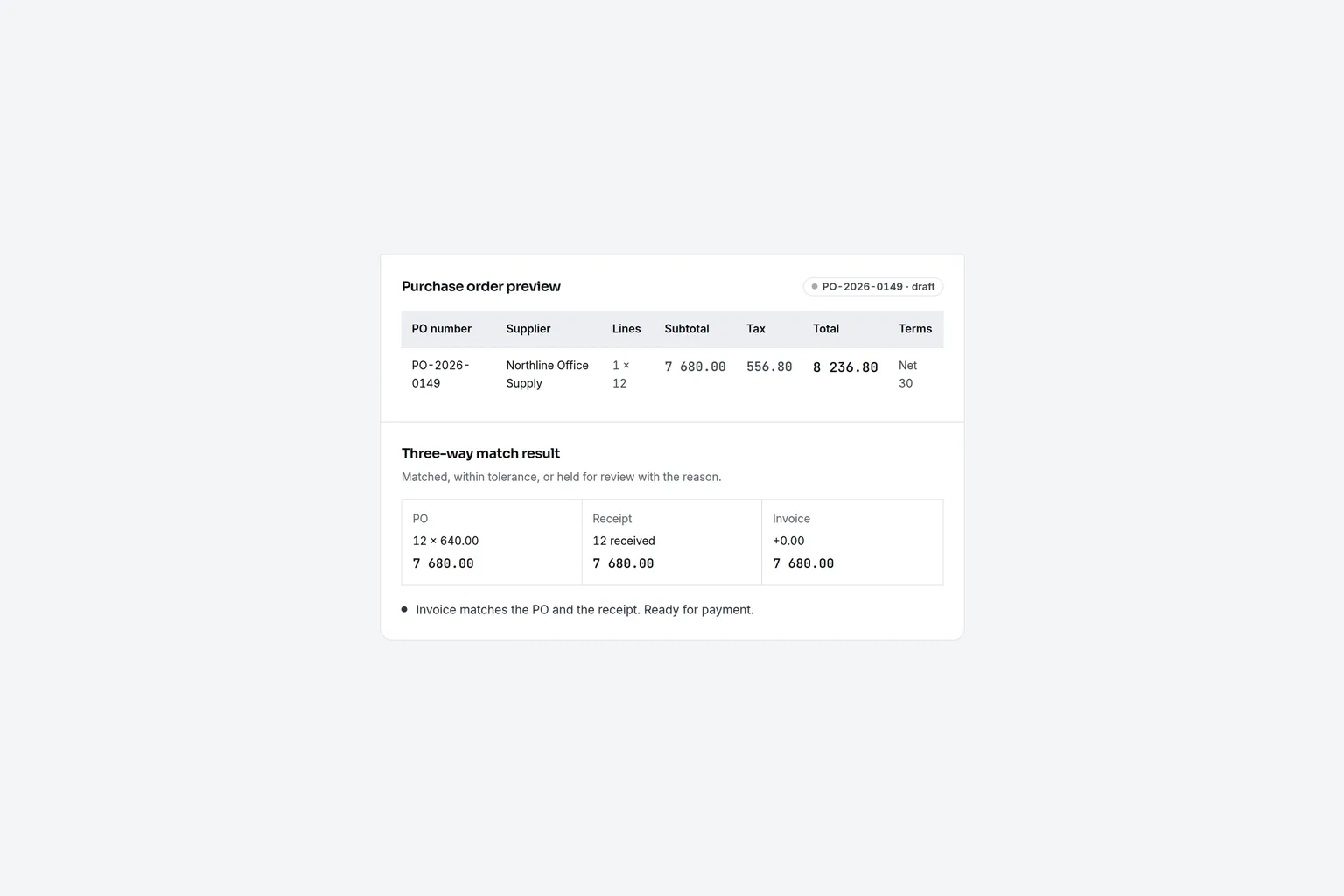
4. Receiving staff record what arrived, line by line. Accounts payable matches the invoice and exports the approved bill to QuickBooks Online or Xero, with three-way matching on Business.
Read more about purchase order approval software and how thresholds are set.
What hotel purchasing teams use every week
- Property and department budgets with the remaining balance visible when a request is approved.
- Approval rules by amount and department, with a second approver for capital items on Business.
- Ship-to address per property on the PO and PDF, with no cap on the number of locations.
- Line by line receiving, including partial deliveries and short shipments.
- Three-way matching of PO, receipt and invoice on Business.
- Approved bill export to QuickBooks Online and Xero.
What Procurer covers for a hotel and what it leaves to other systems
Be clear about the boundary before you buy. Procurer handles purchasing approval, POs, receiving and the approved bill. It is not a property management system, it does not count stock in a storeroom or run a recipe-costed food and beverage inventory, and it does not connect to PMS or point of sale systems.
| Need | Procurer | A hotel inventory and purchasing suite |
|---|---|---|
| Approval before a purchase | Yes, by amount and department | Yes |
| PO with a ship-to address per property | Yes | Yes |
| Receiving and invoice matching | Yes, three-way matching on Business | Yes |
| Published company price | Yes, from 149 USD a month | Usually a quote |
| Stock counts and recipe costing | No | Often yes |
| Accounting export | QuickBooks Online and Xero | Varies by product |
- Approval before a purchase
- ProcurerYes, by amount and departmentA hotel inventory and purchasing suiteYes
- PO with a ship-to address per property
- ProcurerYesA hotel inventory and purchasing suiteYes
- Receiving and invoice matching
- ProcurerYes, three-way matching on BusinessA hotel inventory and purchasing suiteYes
- Published company price
- ProcurerYes, from 149 USD a monthA hotel inventory and purchasing suiteUsually a quote
- Stock counts and recipe costing
- ProcurerNoA hotel inventory and purchasing suiteOften yes
- Accounting export
- ProcurerQuickBooks Online and XeroA hotel inventory and purchasing suiteVaries by product
If your pain is uncontrolled vendor spend across properties, start with approvals and receiving. If your pain is food cost variance in a kitchen, you need a stock system as well, and Procurer sits in front of it for approved purchases.
Choose a plan for your property count and controls
- Team, 149 USD a month or 888 USD yearly: requests, approvals, POs, receiving and accounting export for a single company.
- Business, 299 USD a month or 1 788 USD yearly: conditional approval rules, three-way matching, project and GL budgets and spend analytics.
- Scale, 699 USD a month or 4 188 USD yearly: up to 300 user accounts, 5 legal entities and the supplier portal for larger groups.
Compare the details on the pricing page. Management companies that keep a separate legal entity per owner can use Business for up to 2 entities and Scale for up to 5.
A first month for a three property group
1. Add each property as a location with its ship-to address, and set a monthly budget by department.
2. Name the approver at each property and the threshold above which the regional manager signs off.
3. Move the five most frequent vendors, usually linen, cleaning supplies, amenities, maintenance and food distributor, onto POs first.
4. Ask receiving to log deliveries for two weeks, then turn on invoice matching.
5. Review the spend by vendor and property at month end and agree the next vendors to move.
Do hotels use purchase orders?
Yes, most managed hotel groups do for anything above a small threshold. A PO records what the property agrees to buy, from whom and at what price before the vendor ships. It gives the controller something to match the invoice against and gives owners evidence of who approved a repair or a replacement.
What is the best purchase order system for hotels?
The best system matches how your group buys. Procurer suits owners and management companies that need approvals, POs, receiving and accounting export per property at a published company price. A hospitality inventory suite suits groups that also need stock counts and recipe costing in the same tool.
How much does purchase order software for hotels cost?
Procurer starts at 149 USD a month per company on Team, or 888 USD billed yearly. Business costs 299 USD monthly or 1 788 USD yearly, and Scale costs 699 USD monthly or 4 188 USD yearly. Pricing does not depend on room count, so a larger group does not pay per property.
Does Procurer connect to a hotel property management system?
No. Procurer does not connect to a property management system or a point of sale system. It manages purchase requests, approvals, POs and receiving, then exports approved bills to QuickBooks Online or Xero, so finance keeps the hotel accounting in the ledger it already uses.
Can I track purchasing by property?
Yes. Each PO carries a property as its location and ship-to address, and department budgets show what each property has left. Locations are unlimited on every plan, so you can add a property without moving to a higher tier.
How do I stop staff ordering from unapproved vendors?
Require a request and an approved PO before any purchase above your threshold, and publish the vendor list that each department can use. Procurer routes the request to the approver and records the decision, so an order without a PO becomes an exception that finance can see.
Approve the order before the delivery arrives
Create your account, add your properties and department budgets and put the next vendor order through a request, approval and PO. Try the demo to see the process before choosing a plan.