PO approval app for purchase approvals from email, Slack and Teams
A PO approval app has one job: get a yes or a no from the right person before money is committed, without making that person log in to an accounting system. Procurer sends every approver a link by email, or a message in Slack or Microsoft Teams, that opens the request with the quote, the lines and the remaining budget, and records the decision with a name and a timestamp. It works in the browser of any phone or laptop, costs 149 USD a month per company on Team, and the approved request turns into a numbered purchase order on its own.
On this page
- 01What is the fastest way to approve purchase orders on the go?
- 02Why approvers sit on purchase requests
- 03How a purchase order approval works from email, Slack or Teams
- 04PO approval app options compared
- 05Do you need a native iPhone or Android app to approve POs?
- 06A purchase approved from a phone in four minutes
- 07What comes with the approval app
- 08Which plan you need for mobile approvals
- 09Set up phone approvals in an afternoon
- 10FAQ
What is the fastest way to approve purchase orders on the go?
Approve from the place you already read during the day. In Procurer the approver gets an email, or a Slack or Teams message on the Business plan, with Approve and Reject links. The link opens a one screen summary with the attached quote. A one time code sent to the approver's own inbox confirms the decision, and the PO goes to the supplier right after the last approval.
Why approvers sit on purchase requests
Most purchase approvals stall for a boring reason. The person who has to approve is a plant manager on the floor, a regional director between sites, a project lead at a client, or a CFO in back to back meetings. The request reaches them as a forwarded PDF with "ok?" above it, they cannot see what is left in the budget, and replying "fine" from a phone leaves no audit trail anyone can use at year end.
A PO approval app fixes that only if three things are true: the approver can decide without installing anything or remembering a password, the decision screen shows enough to decide (supplier, lines, quote, budget), and the decision lands in the same record as the purchase order and the invoice. That is what Procurer is built around. The full approval engine behind it is described on purchase order approval software.
How a purchase order approval works from email, Slack or Teams
- The requester raises a purchase request with the supplier, lines, amount, department and the quote attached.
- Your rules pick the approvers: by amount, department, location, category, project or supplier, or simply the requester's manager.
- The first approver receives an email with Approve and Reject links. On Business and above, approvers who connect Slack or Microsoft Teams get the same request as a chat message with the two links.
- The link opens a short decision page that shows the requester, supplier, lines, total and the attached files. Files open from the page, so the approver never digs through an inbox for the quote.
- If the approver is not signed in, Procurer emails a 6 digit code to the approver's own address. It works once and for 15 minutes, so a forwarded link cannot be used by someone else.
- A rejection needs a short note, which the requester sees on the request.
- After the last step Procurer issues the PO and emails it to the supplier as a PDF. The requester never approves their own request.
Links stay valid for 7 days and are tied to one approver, one request and one step. When a step waits too long, reminders go out after the number of hours you set, and the step can escalate to a named backup. Approvers who are away can delegate to a colleague for a date range.
PO approval app options compared
There are three common ways to get approvals on a phone. This table is about fit, not a score.
| Option | How the approver decides | What the approver sees | Audit trail | Typical cost |
|---|---|---|---|---|
| Email reply or chat thread | Types "approved" in a reply | Whatever was pasted in the email | Scattered across inboxes | Nothing extra, but no control |
| Form builder template (Jotform, Power Automate, Knack) | Clicks a button in a form or flow you build yourself | Fields you designed | In the form tool, separate from POs and invoices | Form tool subscription plus your build time |
| ERP mobile add-on (NetSuite SuiteApp, JD Edwards, SAP Fiori) | Opens the ERP app with an ERP login | The ERP transaction | In the ERP | ERP licenses for every approver |
| Procurer | One tap from email, Slack or Teams, confirmed with a one time code | Requester, supplier, lines, quote and budget | Same record as the PO, receipt and invoice match | 149, 299 or 699 USD a month per company |
- Email reply or chat thread
- How the approver decidesTypes "approved" in a replyWhat the approver seesWhatever was pasted in the emailAudit trailScattered across inboxesTypical costNothing extra, but no control
- Form builder template (Jotform, Power Automate, Knack)
- How the approver decidesClicks a button in a form or flow you build yourselfWhat the approver seesFields you designedAudit trailIn the form tool, separate from POs and invoicesTypical costForm tool subscription plus your build time
- ERP mobile add-on (NetSuite SuiteApp, JD Edwards, SAP Fiori)
- How the approver decidesOpens the ERP app with an ERP loginWhat the approver seesThe ERP transactionAudit trailIn the ERPTypical costERP licenses for every approver
- Procurer
- How the approver decidesOne tap from email, Slack or Teams, confirmed with a one time codeWhat the approver seesRequester, supplier, lines, quote and budgetAudit trailSame record as the PO, receipt and invoice matchTypical cost149, 299 or 699 USD a month per company
A form builder is a fair choice for one simple approval with a handful of people. It stops being cheap when you need amount thresholds by department, a budget check, a PO sent to the supplier and an invoice match afterwards, because you end up building a procurement system by hand. An ERP add-on is fine when every approver already holds an ERP seat. Microsoft documents its own approvals in Power Automate if you want to see how much of the flow you would assemble yourself.
Do you need a native iPhone or Android app to approve POs?
Usually not. Native apps help people who raise many requests a day from the field, for example scanning receipts. Approvers mostly need a notification and one decision screen, and an email or chat link gives them that without a store download, an extra password or an IT request to roll out a managed app. Procurer does not ship a native app. Every screen works in the phone browser, and approvals come to the inbox or chat the approver already watches. If a native app is a hard requirement for your field teams, ProcurementExpress, Procurify and ApprovalMax publish one, and our ApprovalMax alternative page compares the cost of going that way.
A purchase approved from a phone in four minutes
A 90 person regional facilities company runs three depots. Policy: depot manager approves up to 2 500 USD, operations director above that, CFO above 15 000 USD.
| Time | What happens | Who |
|---|---|---|
| 08:12 | Depot lead requests a replacement pump and fittings, 4 380 USD, quote attached, department Depot North | Requester |
| 08:12 | Rule sends step 1 to the depot manager and step 2 to the operations director, CFO not needed | Procurer |
| 08:30 | Depot manager opens the email on site, sees 18 000 USD left in the quarter's maintenance budget, approves | Approver 1 |
| 09:05 | Operations director gets the Teams message between meetings, opens the link, enters the code from her inbox, approves | Approver 2 |
| 09:05 | PO 2026-0418 goes to the supplier as a PDF, 4 380 USD committed against Depot North | Procurer |
- 08:12
- What happensDepot lead requests a replacement pump and fittings, 4 380 USD, quote attached, department Depot NorthWhoRequester
- 08:12
- What happensRule sends step 1 to the depot manager and step 2 to the operations director, CFO not neededWhoProcurer
- 08:30
- What happensDepot manager opens the email on site, sees 18 000 USD left in the quarter's maintenance budget, approvesWhoApprover 1
- 09:05
- What happensOperations director gets the Teams message between meetings, opens the link, enters the code from her inbox, approvesWhoApprover 2
- 09:05
- What happensPO 2026-0418 goes to the supplier as a PDF, 4 380 USD committed against Depot NorthWhoProcurer
Before, the same purchase went out by email on a Monday and was approved on Wednesday when the director got back to a laptop. Here the PO left the building before 09:10, with both decisions on the record. On Business at 299 USD a month (or 149 USD a month billed yearly) the company has up to 100 user accounts, Teams and Slack approvals and unlimited approval steps.
What comes with the approval app
- Email approval links on every plan, Slack and Microsoft Teams approvals from Business.
- Approval rules by amount, department, location, category, project and supplier, and manager based routing.
- Budget and remaining amount shown to the approver, with committed and actual spend.
- Reminders and escalation after a set number of hours, plus delegation for holidays.
- A rejection note the requester sees, and a full history of who decided what and when.
- Purchase orders emailed to the supplier as a PDF the moment the last approval lands.
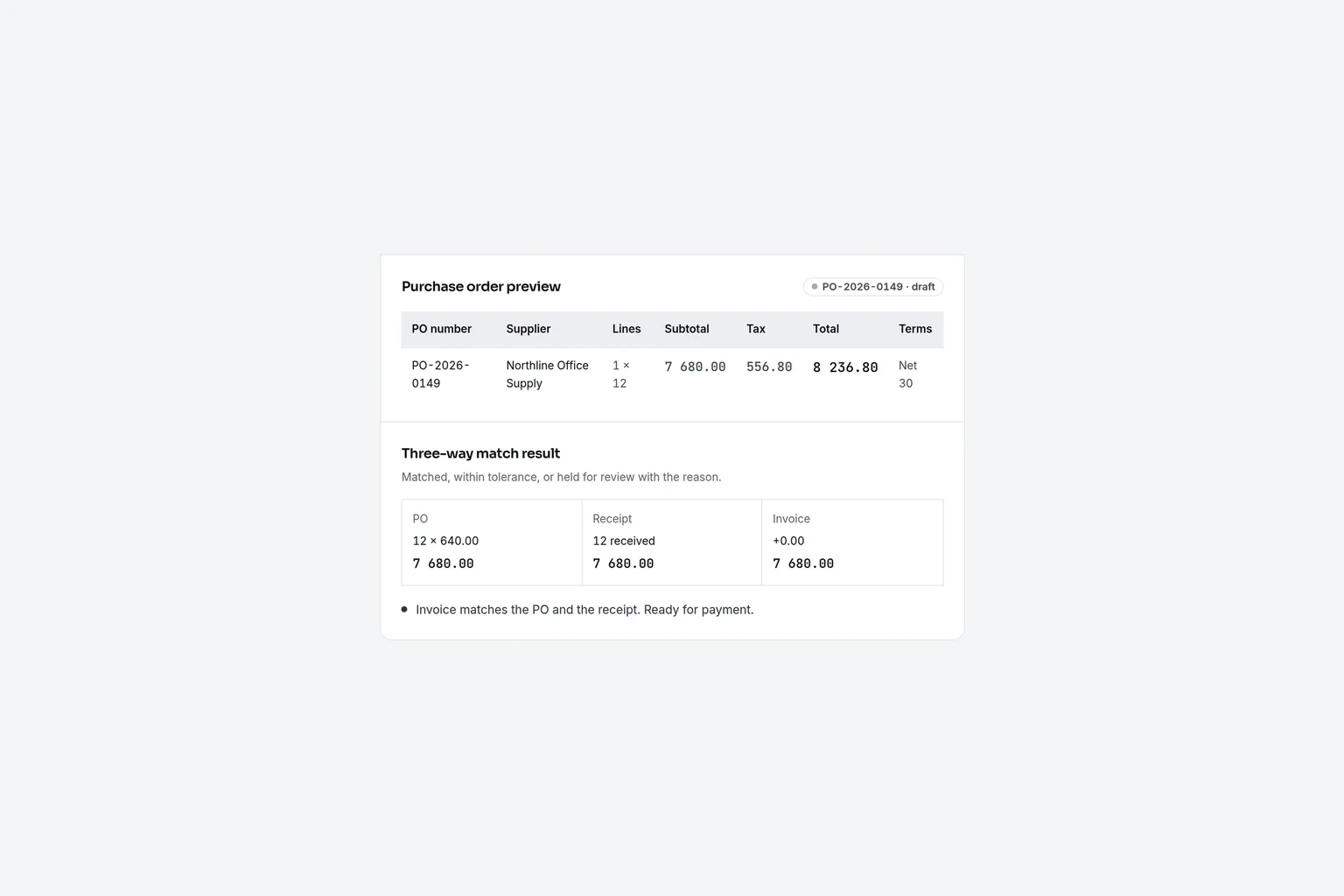
- Receiving and three-way matching, so the approved amount is what you end up paying. See three-way matching.
- Export of approved bills to QuickBooks Online and Xero on every plan.
Which plan you need for mobile approvals
- Team, 149 USD a month or 888 USD a year billed yearly: email approval links, up to 2 approval steps, 25 user accounts and 250 purchase orders a month.
- Business, 299 USD a month or 1 788 USD a year billed yearly: adds Slack and Microsoft Teams approvals, unlimited approval steps, rules by department and amount, three-way matching and up to 100 user accounts.
- Scale, 699 USD a month or 4 188 USD a year billed yearly: up to 300 user accounts, 5 legal entities, single sign-on and NetSuite and Sage Intacct export.
The price is per company, not per approver, so adding an occasional approver costs nothing. Every plan is on the pricing page.
Set up phone approvals in an afternoon
1. Create your account and invite the people who approve, with their manager.
2. Write your thresholds as rules, for example 2 500 USD and 15 000 USD.
3. Ask approvers on Business to paste their Slack or Teams webhook so requests reach them in chat.
4. Set a reminder after 24 hours and an escalation after 48 hours.
5. Send the next real purchase through a request and watch where it waits.
Teams that run the books in a ledger can keep it: the same approval flow sits in front of QuickBooks Online purchase order approval and Xero purchase order approval.
Is there an app to approve purchase orders?
Yes. Procurer works as a PO approval app without a store download. Approvers get an email, or a Slack or Teams message on Business, with Approve and Reject links that open the request, quote and budget on any phone. A one time code from the approver's own inbox confirms the decision, and the PO is issued after the last approval.
Can I approve a purchase order from email?
Yes, on every Procurer plan. The approval email has Approve and Reject links tied to you, the request and the step, valid for 7 days. If you are not signed in, Procurer sends a 6 digit code to your inbox that works once for 15 minutes. Rejections need a short note for the requester.
Can purchase orders be approved in Microsoft Teams or Slack?
Yes, on the Business plan and above. Each approver adds an incoming webhook for Slack or Microsoft Teams, and pending requests arrive there with a summary and two links. Only Slack and Teams webhook addresses are accepted. The decision is recorded in Procurer with the channel it came from.
How much does a PO approval app cost?
Procurer costs 149 USD a month on Team, 299 USD on Business and 699 USD on Scale, per company and not per approver. Yearly billing halves that, for example 1 788 USD a year on Business with up to 100 user accounts. Form builders look cheaper but you build and maintain the flow yourself.
Does Procurer have an iPhone or Android app?
No native app. Every Procurer screen works in the phone browser, and approvals arrive by email, Slack or Teams, so approvers decide without installing anything or remembering a password. Teams that need a native app for field requesters can compare ProcurementExpress, Procurify or ApprovalMax, which publish one.
Get the next purchase approved before lunch
Create your account, add your approvers and thresholds, and send the next real purchase through a request. The approver decides from the email or chat they already have open.